TThemeForgeTheme Reviews

Curated shortlist

BestWordPressFormPlugins

Finding the best WordPress form plugins means sorting through dozens of options that vary wildly in scope, flexibility, and long-term support. Our editorial team assessed market data — sales volume, ratings across hundreds of reviews, author update cadence, and real-world use-case fit — to surface the plugins worth your money in 2026. This list covers everything from simple contact forms to multi-step wizards, cost calculators, surveys, and CRM integrations, so there's a clear pick whether you're building a one-page contact form or a complex data-capture workflow.

12
Ranked picks
8.5
Avg editorial score
$25–$79
Price range
124K
Combined sales

Ranked by our editorial rubric · updated

Pick 01Top pick

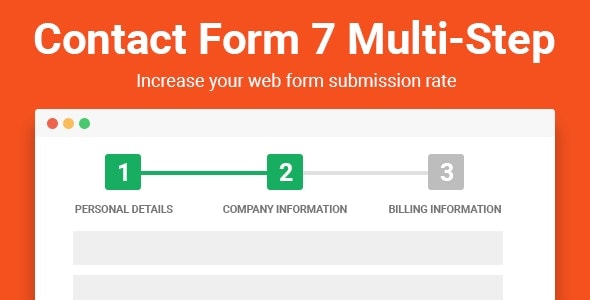
Contact Form Multi-step 7 Pro
4.955K sales$39
9.0
Contact Form Multi-step 7 Pro screenshot

Contact Form Multi-step 7 Pro extends the ubiquitous CF7 plugin with polished multi-step functionality, progress bars, and conditional logic — features CF7 sorely lacks on its own. A near-perfect 4.95-star rating from 112 reviewers and 5,300 sales signal strong real-world reliability.

Best forsite owners already committed to CF7 who want a guided, multi-page form experience without switching platforms. The $39 price is fair for the scope it unlocks.

Read our review

Pick 02Most popular

Quform - WordPress Form Builder
4.7436K sales$34
8.8
Quform - WordPress Form Builder screenshot

Quform is one of the most battle-tested form builders on the marketplace: 36,200 sales and 2,400 ratings at 4.74 stars represent years of real-world use. It covers drag-and-drop building, conditional logic, file uploads, and multi-page forms at just $34. The breadth comes with a trade-off — the UI feels mature rather than modern.

Best fordevelopers and agency builders who want a dependable, feature-complete workhorse at a low entry price.

Read our review

Pick 03

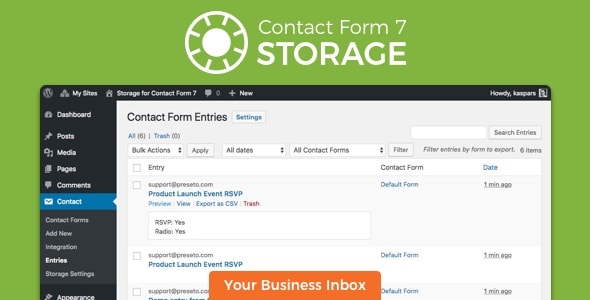
Storage for Contact Form CF7
4.952K sales$29
8.8
Storage for Contact Form CF7 screenshot

Storage for Contact Form CF7 solves a genuine gap: by default, CF7 doesn't save submissions to your database. This plugin adds that safety net — storing entries, attachments, and metadata — without replacing your existing setup. At $29 and a 4.95-star rating it's a focused, well-regarded utility.

Best foranyone running CF7 on a site where missed emails or host delivery issues would mean lost leads. Not a standalone form builder.

Read our review

Pick 04

Gravity Forms Address Autocomplete
4.872K sales$39
8.8
Gravity Forms Address Autocomplete screenshot

Gravity Forms Address Autocomplete adds Google Places-powered address lookup to Gravity Forms address fields, reducing typos and form abandonment in one step. Its 4.87-star rating from 140 reviews is credible for an add-on this specific. Remember: Gravity Forms itself is a separate purchase.

Best fore-commerce, booking, or service sites running Gravity Forms where address accuracy directly affects operations. The $39 price is reasonable given the friction it eliminates.

Read our review
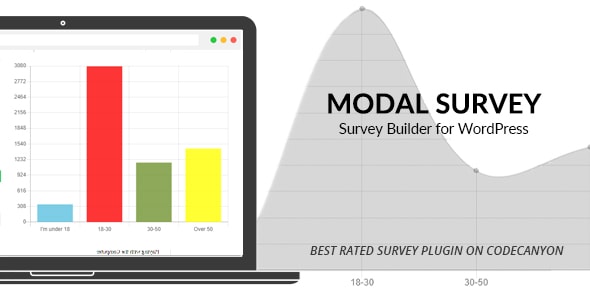
Modal Survey - WordPress Poll, Survey & Quiz Plugin screenshot

Modal Survey combines polls, surveys, and quizzes in a single plugin, with 5,900 sales and a solid 4.78-star average across 247 reviews. It supports multiple question types, result charts, and conditional branching — well beyond what a basic form builder offers for engagement use cases. At $65 it's the priciest general plugin here.

Best forpublishers and membership sites that want interactive audience engagement baked in, not bolted on.

Read our review

Pick 06

eForm - WordPress Form Builder
4.4716K sales$39
8.5
eForm - WordPress Form Builder screenshot

eForm is a broad-scope form builder covering quizzes, payment forms, surveys, and standard contact forms — 15,900 sales reflect genuine longevity. Its 4.47-star rating from 756 reviewers, however, suggests a meaningful minority of users hit friction, worth investigating in the support tab before buying.

Best fordevelopers who need one plugin to handle varied form types across multiple client sites and are comfortable investing time in configuration. At $39, the value is there if you use the full feature set.

Read our review

Pick 07Best value

FormCraft - Premium WordPress Form Builder
4.4622K sales$25
8.4
FormCraft - Premium WordPress Form Builder screenshot

FormCraft is the most affordable general-purpose builder on this list at $25, with 21,600 sales demonstrating broad adoption. Its 4.46-star rating from 1,100 reviews is decent but the lowest among the builders here, which may reflect the learning curve or occasional compatibility issues.

Best forbudget-conscious site owners who need a solid drag-and-drop form builder for standard contact and inquiry forms and don't require deep integrations or advanced logic out of the box.

Read our review
WordPress Contact Form Plugin/Form builder - ARForms screenshot

ARForms delivers a visual drag-and-drop builder with conditional logic, multi-step forms, payment integrations, and a built-in style editor — a competitive feature set at $39. Its 4.53-star rating from 483 reviews is respectable, though not class-leading.

Best forsmall business owners who want a self-contained form solution with styling controls that reduce the need for custom CSS. The 10,200 sales base suggests solid ongoing development and community familiarity.

Read our review

Pick 09

Cost Calculator WordPress
4.5410K sales$39
8.4
Cost Calculator WordPress screenshot

Cost Calculator WordPress is purpose-built for one job: letting visitors estimate project costs, service fees, or product prices interactively. With 9,500 sales and a 4.54-star rating, it's proven in the market. It's not a general contact form builder — the calculation and formula engine is the product.

Best foragencies, freelancers, and service businesses that want to qualify leads and set expectations before a consultation. Pairs well with a separate contact form plugin for follow-up capture.

Read our review

Pick 10Best rated

Gravity Forms - Salesforce CRM Integration
5.003K sales$79
8.4
Gravity Forms - Salesforce CRM Integration screenshot

Gravity Forms Salesforce CRM Integration pushes form submissions directly into Salesforce objects, mapping fields with precision. Its perfect 5.00-star rating is promising, though 16 reviews is a small sample — treat it as encouraging rather than definitive. At $79 it's the most expensive add-on here, and Gravity Forms is required separately.

Best forsales-driven businesses already on Salesforce that need reliable, low-friction lead capture flowing straight into their CRM without manual exports.

Read our review
TotalPoll Pro - Responsive WordPress Poll Plugin screenshot

TotalPoll Pro focuses exclusively on polls — embedded or popup, single or multiple choice, with anti-fraud controls and chart displays. Its 8,400 sales show real demand, though the 4.37-star average from 283 reviewers is the lowest on this list, suggesting the plugin's scope or support has frustrated a portion of buyers.

Best fornews sites, community platforms, or blogs that want a dedicated, visually polished polling experience rather than a workaround inside a general form builder. At $79, expectations should be high.

Read our review

Pick 12

Gravity Forms Styles Pro Add-on
4.883K sales$39
8.2
Gravity Forms Styles Pro Add-on screenshot

Gravity Forms Styles Pro gives designers pixel-level visual control over Gravity Forms layouts — padding, fonts, colors, field borders — through a live CSS editor without writing code from scratch. Its 4.88-star rating from 88 reviews is strong for a styling add-on. Gravity Forms is required.

Best fordesigners and agencies who find default Gravity Forms markup clashes with client themes and want a systematic, reusable styling solution rather than patching CSS form by form.

Read our review

How to choose

How to Choose the Right WordPress Form Plugin

The WordPress form plugin market is crowded, and the wrong choice costs you more than money — it costs you time when you need to migrate thousands of entries to a different tool six months down the road. Before you buy, be clear on three things: the form types you need today, the integrations you can't live without, and the volume of submissions you expect.

Match the plugin to the job

General-purpose form builders (like Quform, eForm, ARForms, and FormCraft) cover contact forms, registrations, and surveys in one package. That breadth is useful, but it often means shallower depth in any single area. If you have a specific, well-defined need — address autocomplete on a Gravity Forms site, Salesforce syncing, or a dedicated polling experience — a specialist add-on or standalone plugin will almost always outperform a generalist on that task.

Sales and ratings tell part of the story

A plugin with 36,000 sales and thousands of reviews has survived real-world edge cases that a newer plugin simply hasn't encountered yet. That said, a smaller but highly-rated plugin maintained by an active author can be equally reliable — look at the last update date in the marketplace listing, not just the star average. A 4.95-star rating from 60 reviews deserves more scrutiny than the same score from 500.

Watch out for hidden dependencies

Several plugins on this list are add-ons for Gravity Forms, which is sold separately and carries its own annual license cost. Factor that in before comparing prices. Similarly, some survey and poll plugins require specific server configurations or rely on third-party APIs that may have their own pricing tiers.

Common buying mistakes

  • Buying on price alone. A $25 form builder that lacks conditional logic or file uploads will frustrate you faster than a $65 plugin that handles your full workflow.
  • Ignoring entry storage. Many form plugins send submissions by email only. If your host is unreliable or you need an audit trail, you need a plugin (or add-on) that stores entries in the database.
  • Overlooking styling friction. Default form styles rarely match your theme out of the box. Check whether the plugin offers a visual style editor or at least clean, minimal markup before committing.
  • Skipping the support tab. Author response time on open support tickets is often a better predictor of your experience than the overall star rating.

Our recommendation strategy

If you want one plugin that handles most standard use cases with minimal configuration, prioritize proven sales volume and a broad feature set. If you're already running Gravity Forms, lean into its ecosystem of add-ons rather than introducing a second form framework. And if your primary need is engagement — polls, quizzes, surveys — treat that as a separate category with its own best picks.