BestWooCommerceShippingPluginsof2026
Finding the right shipping plugin can directly impact your store's conversion rate, operational costs, and customer satisfaction. Our editorial team has reviewed nine of the most popular WooCommerce shipping plugins — covering everything from flexible rate rules to carrier-specific integrations and order tracking — so you can match the right tool to your store's needs.
9 plugins tracked · ranked by sales
Read the buying guide: Best WooCommerce Shipping PluginsThe catalog
Table Rate Shipping for WooCommerce
bolderelements · Shipping
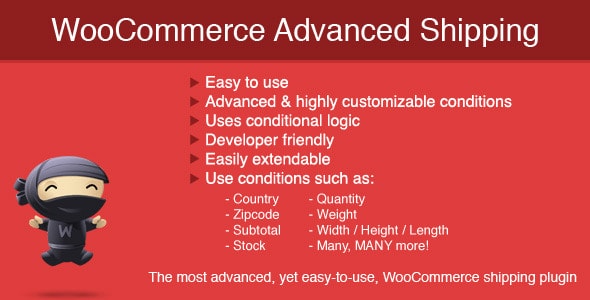
Advanced Shipping for WooCommerce
sormano · Shipping
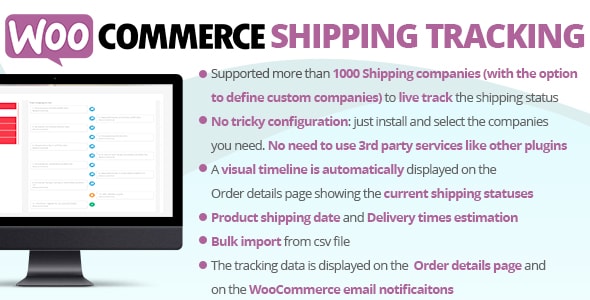
WooCommerce Shipping Tracking
vanquish · Shipping
WooCommerce Cart Based Shipping
bolderelements · Shipping

Canada Post WooCommerce Shipping Plugin for Rates, Labels and Tracking
truemedia · Shipping

WooCommerce Orders Tracking - SMS - PayPal Tracking Autopilot
villatheme · Shipping

US Postal Service USPS WooCommerce Shipping Plugin for Rates and Tracking
truemedia · Shipping

WooCommerce Free Shipping Bar - Increase Average Order Value
villatheme · Shipping

Shipping Details Plugin for WooCommerce
patsatech · Shipping
Buying guide
How to Choose a WooCommerce Shipping Plugin
Not every store has the same shipping needs. Before browsing individual reviews, it helps to identify which problem you're actually trying to solve. The plugins in this category fall into four broad types:
- Rule-based rate engines — plugins like Table Rate Shipping for WooCommerce and Advanced Shipping for WooCommerce let you build complex pricing rules based on weight, quantity, destination, cart total, and more. These are the right choice if WooCommerce's built-in flat-rate and free-shipping options feel too limiting.
- Carrier integrations — plugins like the Canada Post and USPS options pull live carrier rates at checkout and can generate shipping labels. If you ship primarily with one carrier, a dedicated integration typically delivers more accurate quotes than a generic solution.
- Order tracking — WooCommerce Shipping Tracking and WooCommerce Orders Tracking let you attach tracking numbers to orders and notify customers automatically. Reducing "where is my order?" support tickets is a measurable ROI.
- Conversion-focused tools — the WooCommerce Free Shipping Bar nudges customers toward a higher cart total by showing how much more they need to spend to qualify for free shipping, which can lift average order value without touching your rate logic.
What to Look for in Each Plugin
Our editorial scores weight several factors: the breadth of shipping conditions supported, quality of the author's documentation, buyer rating consistency across a meaningful sales volume, and how recently the plugin has been updated for current WooCommerce versions.
Advanced Shipping for WooCommerce earned our highest editorial score (9.0/10) and holds a near-perfect buyer rating of 4.89/5 across 17,300 sales — a combination that is difficult to argue with. WooCommerce Shipping Tracking follows closely at 8.8/10 with the highest raw buyer rating in the category (4.90/5).
Budget Considerations
Prices in this category range from $12 for the entry-level WooCommerce Cart Based Shipping up to $49 for the orders-tracking and free-shipping-bar tools. Most plugins carry a one-time license fee rather than a subscription, though renewal fees for ongoing support vary by author — check the license tab on each product page before purchasing.
A Note on Combining Plugins
Many stores run two complementary plugins simultaneously — for example, a rate engine alongside a tracking plugin. Confirm compatibility with your WooCommerce version and any other active plugins before committing, since shipping logic conflicts can surface at checkout in ways that are hard to diagnose quickly.
Frequently asked
Can I use more than one shipping plugin at the same time in WooCommerce?
Yes, many stores combine a rate-rules plugin with a separate tracking or carrier plugin. However, you should test the combination carefully — conflicting shipping method definitions can cause unexpected behavior at checkout. Check each plugin's compatibility notes and test on a staging site first.
What is the difference between a table rate plugin and a carrier integration plugin?
A table rate plugin lets you define custom pricing rules based on conditions you set (weight, cart total, destination zone, etc.). A carrier integration connects directly to a carrier's API — like USPS or Canada Post — to fetch live rates and, in some cases, print labels. Many stores need one of each.
Are these shipping plugins compatible with the latest version of WooCommerce?
Compatibility depends on how actively each plugin is maintained. Our reviews note each plugin's last update date and buyer rating trajectory as signals of ongoing support. Always verify the plugin's tested-up-to version on its marketplace page before purchasing.
Is a free shipping bar plugin worth the cost if I already have a rate plugin?
A free shipping bar targets a different goal — increasing average order value rather than calculating rates. If your margins support a free-shipping threshold, the conversion lift can offset the $49 cost quickly. It is a marketing tool, not a logistics tool, so the two do not overlap.
Which plugin is best for stores that ship primarily within Canada or the US?
For Canada-focused stores, the Canada Post WooCommerce Shipping Plugin (4.72/5, 2,600 sales) provides live rates, label generation, and tracking in one package. For US-focused stores, the USPS WooCommerce Shipping Plugin (4.62/5, 1,900 sales) covers live rate quotes and tracking. Both are purpose-built for their respective carriers.