BestWordPressMenuPluginsof2026
Navigation is one of the first things visitors interact with, and the right menu plugin can meaningfully improve usability and conversions. We've reviewed six of the top-selling WordPress menu plugins — covering mega menus, mobile-first designs, and everything in between — so you can pick the best fit for your site without guesswork.
6 plugins tracked · ranked by sales
Read the buying guide: Best WordPress Menu PluginsThe catalog
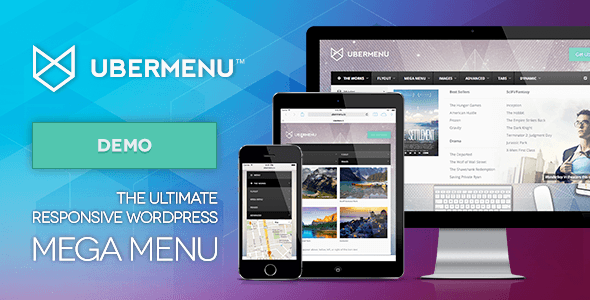
UberMenu - WordPress Mega Menu Plugin
sevenspark · Menus

WordPress Menu Plugin — Superfly Responsive Menu
looks_awesome · Menus
Mega Main Menu - WordPress Menu Plugin
MegaMain · Menus
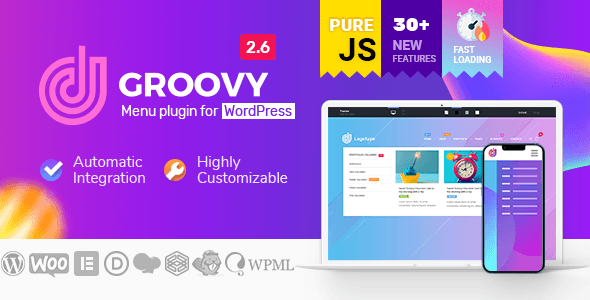
Groovy Mega Menu - Responsive Mega Menu Plugin for WordPress
grooni · Menus

TapTap: A Super Customizable WordPress Mobile Menu
BonfireThemes · Menus
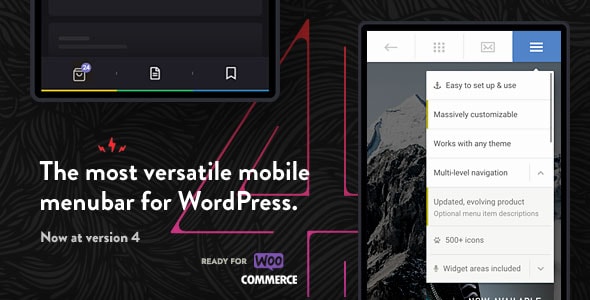
Touchy - WordPress Mobile Menu Plugin
BonfireThemes · Menus
Buying guide
How to Choose the Right WordPress Menu Plugin
Before buying, it helps to narrow down what type of navigation problem you're actually solving. The six plugins in our roundup fall into two broad categories: mega menu builders for content-rich desktop navigation, and mobile menu plugins designed specifically for touch-based interfaces.
Mega Menu Plugins
If your site has deep content hierarchies — multiple categories, product lines, or service pages — a mega menu plugin lets you organise links into columns, add images, widgets, or icons, and create a far richer navigation experience than WordPress's built-in menu system allows.
- UberMenu is the category's best-seller by a wide margin (91,000+ sales) and earns our joint-highest editorial score of 8.8/10. It offers deep integration with the WordPress menu editor and extensive widget support. Its $39 price and steeper learning curve are the main trade-offs.
- Mega Main Menu is the budget option at $16 with a solid 8,100 sales. It covers the essentials well but shows its age in terms of design flexibility compared to pricier rivals.
- Groovy Mega Menu ($39) leans into responsive design and visual customisation, though its buyer rating (4.46/5) is the lowest in this group — worth noting if community support matters to you.
Mobile Menu Plugins
For sites where mobile traffic dominates, a dedicated mobile menu plugin is often a better investment than a full mega menu suite. These plugins replace or augment the standard hamburger menu with animated, touch-optimised panels.
- Touchy holds the highest buyer rating in the entire roundup (4.91/5) and shares our top editorial score of 8.8/10 — impressive for a $26 plugin. It's a strong default choice for mobile-first projects.
- TapTap earns the second-highest buyer rating (4.84/5) and our score of 8.5/10. It emphasises granular styling controls, making it a good pick for designers who want pixel-level control.
- Superfly ($29, 4.72/5) sits between mobile and full mega menu territory, offering off-canvas and toolbar-style layouts. With 11,000 sales it has a proven track record, though some users find its panel-based approach less intuitive on desktop.
Key Buying Considerations
- Device split: Check your analytics. If 60%+ of visits are mobile, prioritise Touchy or TapTap over a mega menu builder.
- Page builder compatibility: Confirm the plugin works with your theme and builder (Elementor, Divi, etc.) before purchasing.
- Support longevity: Sales volume is a useful proxy — plugins with tens of thousands of sales are more likely to receive ongoing updates.
- Budget: The price range here is just $16–$39, so cost rarely should be the deciding factor; prioritise feature fit instead.
Frequently asked
Do I need a menu plugin if my WordPress theme already has a built-in menu?
Most themes include only basic multi-level dropdown menus, which quickly become unwieldy for larger sites. A dedicated plugin adds features like image columns, icons, widget areas, and mobile-optimised panels that the native WordPress menu system doesn't support. If your navigation needs are simple, the built-in menu may be enough — but complex sites usually benefit from a dedicated plugin.
What's the difference between a mega menu plugin and a mobile menu plugin?
Mega menu plugins focus on rich, multi-column desktop navigation — letting you add images, widgets, and grouped links across a wide dropdown. Mobile menu plugins replace or augment the standard hamburger menu with touch-friendly, animated panels optimised for small screens. Some plugins attempt both, but specialists in each category tend to do their respective job better.
Which WordPress menu plugin has the best buyer ratings?
Among the plugins we've reviewed, Touchy leads with a 4.91/5 buyer rating, followed closely by TapTap at 4.84/5 — both mobile-focused plugins. UberMenu and Superfly are the highest-rated mega/hybrid options at 4.68/5 and 4.72/5 respectively. High ratings across all six suggest this is a generally mature, well-maintained plugin category.
Will these menu plugins work with my page builder (Elementor, Divi, etc.)?
Most of the plugins in our roundup advertise compatibility with popular page builders, but compatibility can vary by version. We strongly recommend checking the plugin's documentation or support forum for your specific builder before purchasing, as updates to either the plugin or the page builder can occasionally introduce conflicts.
Is a $16 mega menu plugin good enough, or should I spend more?
Mega Main Menu at $16 is a capable option for straightforward use cases and has over 8,000 sales to show it works reliably. However, it offers less design flexibility and fewer advanced layout options than UberMenu or Groovy Mega Menu at $39. If you need highly customised layouts or plan to scale your site's navigation significantly, the extra investment is usually worthwhile.