Theme topic
BestWordPressThemesforYouTubeCreatorsin2026
If you're a YouTube creator looking to build a site around your channel, the right WordPress theme can make a real difference — handling video embeds, channel branding, and audience engagement without constant workarounds. Our editorial team has reviewed the leading options on the market so you can find a theme that fits your content style and technical comfort level.
2 themes tracked · ranked by sales
The catalog

True Mag - WordPress Theme for Video and Magazine
CactusThemes · Blog Magazine
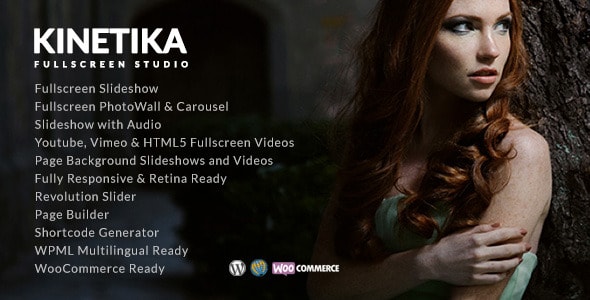
Kinetika | Photography Theme for WordPress
imaginem · Photography
Buying guide
What to Look for in a YouTube WordPress Theme
Not every "video theme" is built with YouTube creators in mind. Before committing to a theme, focus on these practical considerations:
- YouTube embed quality: Look for themes that display embedded videos responsively, with clean aspect-ratio handling on both desktop and mobile. A video that crops or stretches on a phone will lose viewers fast.
- Channel or playlist integration: Some themes pull your latest YouTube uploads automatically via API or feed. This saves manual updates and keeps your site current without extra effort.
- Video-first layouts: A homepage built around a featured video or a grid of thumbnails communicates your brand immediately. General-purpose themes often bury video content under blog-style layouts that aren't optimized for this.
- Page speed: YouTube iframes add load weight. A lightweight, well-coded theme reduces the overall page footprint so your site doesn't feel sluggish before the video even plays.
- Monetization-friendly design: Creators who run ads, sell memberships, or promote merch need clean ad placement zones and compatibility with popular membership or e-commerce plugins.
Types of Sites These Themes Support
YouTube creators use WordPress for a variety of purposes, and the right theme depends on which goal is primary:
- Channel hub: A central home for your latest uploads, about page, and social links — essentially a branded extension of your YouTube presence.
- Video blog: Combines written posts with embedded videos, ideal for creators who publish companion articles, transcripts, or tutorials alongside their content.
- Portfolio or media kit: Showcases selected videos and channel stats for brand partnership pitches — layout and visual polish matter most here.
- Community or membership site: Gated content, forums, or subscriber-exclusive videos require a theme with solid plugin compatibility (MemberPress, Restrict Content Pro, etc.).
Our Editorial Take
The themes we review on this page were assessed on marketplace data — including sales volume, buyer ratings, last-update recency, and author support track record — alongside their stated feature sets. We highlight genuine trade-offs: a theme with a rich video grid may carry a heavier codebase, while a minimalist option may require more manual customization to match a lively channel brand. No theme is perfect for every creator, so we note who each one suits best.
Frequently asked
Do I need a special WordPress theme to embed YouTube videos?
No — WordPress embeds YouTube URLs natively. However, a theme designed for video content will present those embeds more attractively, handle responsive sizing correctly, and offer layouts built around video rather than text-first blog posts.
Can a YouTube WordPress theme automatically pull in my latest uploads?
Some themes include YouTube feed or API integration that displays your latest videos without manual updates. Others rely on a third-party plugin like WP YouTube Lyte or Feed Them Social. Always check whether the integration is built-in or plugin-dependent before purchasing.
What's the difference between a video theme and a YouTube-specific theme?
A general video theme often supports multiple platforms and local video files. A YouTube-focused theme is typically optimized for embedded YouTube content, channel branding, and playlist display. For creators whose entire library lives on YouTube, the latter is usually a better fit.
Will these themes work with channel membership or paid content plugins?
Most well-maintained premium themes are compatible with popular membership plugins, but compatibility varies. Check the theme's documentation or support forum for confirmed plugin pairings — especially if MemberPress, Paid Memberships Pro, or WooCommerce gating is part of your plan.
How important is page speed for a YouTube creator's WordPress site?
Very important. YouTube iframes add HTTP requests and load time on their own. A bloated theme compounds that, which can hurt both visitor experience and search rankings. Prioritize themes with clean, minimal code and good Lighthouse scores where that data is available.