Theme topic
BestWordPressThemeswithPricingTables(2026)
If you're searching for the best pricing table WordPress themes, you want a design that clearly communicates your plans, builds trust, and converts visitors — without requiring a developer. This hub covers the themes our editorial team has reviewed for exactly that use case, with honest assessments of strengths and trade-offs.
1 theme tracked · ranked by sales
The catalog
Buying guide
What Makes a Great Pricing Table Theme?
A pricing table isn't just a design element — it's a conversion tool. The right theme will let you present tiered plans clearly, highlight a recommended option, and keep the layout readable on any screen size. When evaluating themes for this use case, our editorial team looks at four core criteria:
- Layout flexibility: Can you adjust column counts, feature rows, and button styles without touching code?
- Visual hierarchy: Does the design naturally draw the eye to your featured or most profitable plan?
- Responsive behavior: Pricing tables are notoriously tricky on mobile — stacked columns must remain scannable.
- Integration readiness: Does the theme work smoothly with popular billing or membership plugins?
Our Reviewed Theme for This Use Case
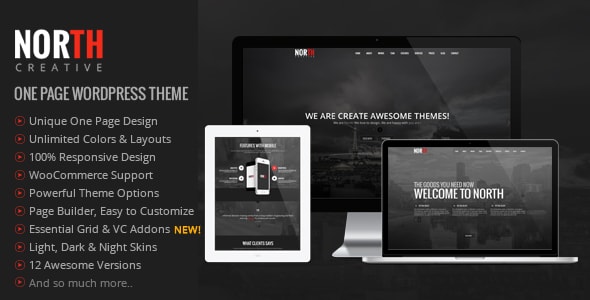
North – One Page Parallax WordPress Theme
Price: $59 | Buyer Rating: 4.38 / 5 | Sales: ~5,800 | Our Score: 7.8 / 10
North is a one-page parallax theme with a dedicated pricing table section built into its core layout. With nearly 5,800 sales and a solid 4.38-star buyer rating, it has a proven track record among small businesses and SaaS-style landing pages that need to present service tiers on a single scrolling page.
The pricing table section supports multiple columns, a highlighted "popular plan" style, and feature-list rows — all manageable through the theme's options panel. Its one-page structure means visitors move naturally from your value proposition straight to pricing without navigating away, which suits straightforward service offerings well.
Where North works best: freelancers, agencies, and small SaaS products that want a clean, self-contained landing page with pricing front and center.
Genuine trade-offs to consider: Because North is built as a single-page theme, it is less suited to content-heavy sites or stores that need multi-page navigation. The parallax-heavy design can also add visual weight that distracts from the pricing table itself if not carefully configured. Buyers who need deep WooCommerce integration or complex membership gating will likely need additional plugins, and may find a more application-focused theme a better fit.
How to Choose
- Map your content: if pricing is your primary call to action on a single page, North fits naturally.
- Check plugin compatibility with any billing or CRM tool you already use.
- Preview the mobile layout — always test the pricing table section specifically on a small screen before purchasing.
Frequently asked
Do I need a separate plugin to add a pricing table to a WordPress theme?
It depends on the theme. Some themes like North include a built-in pricing table section that works out of the box. Others require a dedicated pricing table plugin or a page builder add-on. Always check the theme's feature list before purchasing so you know what's included.
Are one-page themes like North a good choice if I plan to grow my site later?
One-page themes are optimized for focused, conversion-driven sites — they're excellent when pricing is your main goal. However, if you anticipate adding a blog, multiple service pages, or a shop, a multi-page theme will give you more room to grow without fighting the template's structure.
How important is mobile responsiveness for a pricing table?
Very important. Pricing tables with multiple columns often collapse poorly on small screens, making them hard to compare. Before buying any theme, check demo previews on a mobile viewport and look specifically at how the pricing section stacks — it's one of the most common pain points buyers report.
Is a $59 theme enough, or should I budget for premium add-ons too?
A $59 theme like North covers the core design, but budget for extras like a billing plugin, a form tool, or a page builder extension if your pricing workflow needs them. Factor in roughly $50–$150 for essential plugins depending on your setup, so your total cost of ownership is clear from the start.
What buyer rating should I look for when choosing a WordPress theme?
Our editorial team generally treats 4.0 and above as a reliable threshold for buyer satisfaction on major marketplaces. North's 4.38-star rating across nearly 5,800 sales indicates consistent quality and adequate author support. Ratings below 3.8 with high sales volume often signal recurring support or compatibility issues worth investigating.