Theme topic
BestLearningManagementSystemWordPressThemesfor2026
If you're building an online course platform, the right WordPress theme does more than look good — it shapes how students navigate lessons, track progress, and complete purchases. Our editorial team reviewed the top-selling LMS themes on the marketplace to help you match the right product to your specific needs and budget.
5 themes tracked · ranked by sales
The catalog

Eduma - Education WordPress Theme
ThimPress · Education
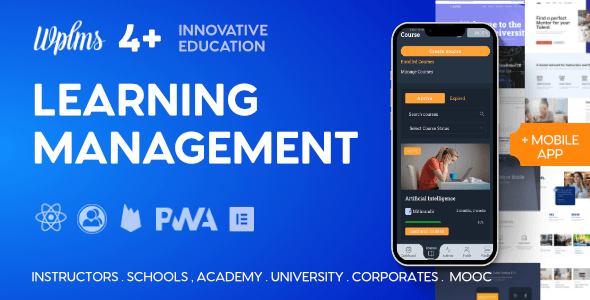
WPLMS Learning Management System for WordPress, WordPress LMS
VibeThemes · Education

Masterstudy - Education WordPress Theme
StylemixThemes · Education
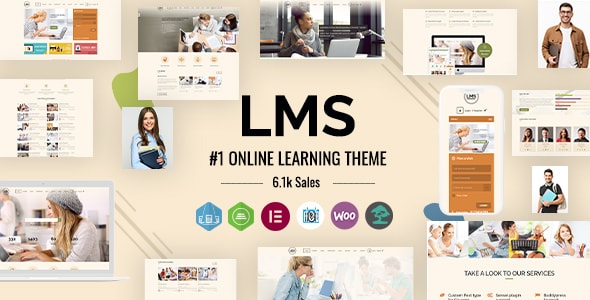
LMS - Education WordPress Theme
designthemes · Education

Course Builder - Online Course WordPress Theme
ThimPress · Education
Buying guide
What to Look for in an LMS WordPress Theme
An LMS theme differs from a standard education theme in one key way: it needs to work hand-in-hand with course management features, whether those are built into the theme itself or powered by a plugin like LearnPress, LearnDash, or LifterLMS. Before buying, consider these factors:
- Native LMS vs. plugin compatibility: Some themes, like WPLMS, ship with their own built-in course engine. Others, like Eduma and Masterstudy, are purpose-built to work with LearnPress. A tighter integration usually means fewer conflicts and a more consistent UI.
- Course catalog and learner dashboard design: Students spend most of their time on course pages and their personal dashboard — not the homepage. Prioritize themes with well-structured lesson layouts and clear progress indicators.
- Payment and monetization readiness: Look for built-in WooCommerce compatibility or a bundled checkout flow if you plan to sell courses directly.
- Performance and page weight: Feature-heavy LMS themes can be resource-intensive. A theme with too many bundled plugins may slow down your site if not configured carefully.
Our Top Picks at a Glance
Eduma leads our list with a 4.82/5 buyer rating and over 47,500 sales — the strongest market validation in this category. At $69, it offers a well-balanced combination of LearnPress integration, a large library of demo sites, and a polished course catalog design. The main trade-off is that its breadth of options can make initial setup time-consuming.
Masterstudy earns our second-highest editorial score at 8.7/10, with 22,400 sales and a competitive $59 price point. It includes its own LMS plugin alongside the theme, which reduces dependency on third-party tools. However, the bundled plugin ecosystem means you're committing to Masterstudy's own update cycle for core LMS functionality.
WPLMS is the most feature-complete option on this list, with its own full LMS engine, gamification tools, and a corporate training focus. At $89 it's the priciest, and its 4.48/5 rating — lower than the others — reflects a steeper learning curve and more complex configuration. It suits larger organizations more than solo course creators.
Which Theme Should You Choose?
- Solo educators or small course creators: Masterstudy offers the best value with its all-in-one approach at the lowest price.
- Established course businesses: Eduma's proven track record and extensive demo library make it the lower-risk, higher-polish choice.
- Corporate or enterprise training: WPLMS's deep feature set justifies the premium if you need advanced reporting and multi-instructor management.
Frequently asked
Do these LMS themes work with LearnDash or LifterLMS?
Eduma and Masterstudy are built primarily around LearnPress and their own bundled LMS plugins, so native compatibility with LearnDash or LifterLMS is limited. WPLMS uses its own proprietary course engine. If you're committed to LearnDash or LifterLMS, you'll want to verify compatibility with the theme author before purchasing.
Is a dedicated LMS theme necessary, or can I use a general WordPress theme?
A general theme can technically work with an LMS plugin, but a dedicated LMS theme provides purpose-built course catalog pages, learner dashboards, and checkout flows that would otherwise require significant custom development. For a professional course platform, a purpose-built theme saves meaningful time and produces a more consistent student experience.
What ongoing costs should I budget for beyond the theme purchase price?
Marketplace themes typically include six months of support; extended support costs extra. Some bundled plugins (such as premium page builders or LMS add-ons) may require separate license renewals. Factor in hosting, any payment gateway fees, and the cost of upgrading your support term if you anticipate needing help past the initial period.
How do these themes handle selling courses — is WooCommerce required?
Both Eduma (via LearnPress) and Masterstudy include a native course checkout flow that doesn't strictly require WooCommerce, though WooCommerce integration is available for more advanced store features. WPLMS has its own built-in payment handling. WooCommerce is the recommended route if you plan to sell course bundles, subscriptions, or physical products alongside courses.
Which theme is easiest to set up for a first-time course creator?
Masterstudy has the lowest entry price and a self-contained plugin bundle, which reduces the number of moving parts for a first-time builder. Eduma's large demo library also makes it straightforward to launch quickly using a pre-built layout. WPLMS is the most complex of the three and is better suited to users with some WordPress administration experience.