Theme topic
BestCalendarWordPressThemesfor2026
If you're searching for the best calendar WordPress themes, you've landed in the right place. Our editorial team reviews themes built specifically around event listings, booking systems, and scheduling — so you can match the right design to your exact use case without wading through generic multipurpose options.
1 theme tracked · ranked by sales
The catalog
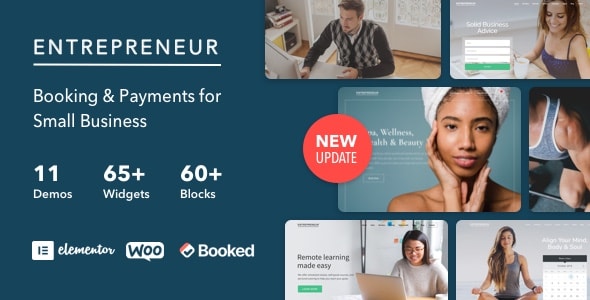
Buying guide
How to Choose a Calendar WordPress Theme
A calendar theme isn't just about aesthetics. The right choice depends on what you're actually scheduling — community events, classes, venue bookings, or appointment-based services — and which plugins you plan to use alongside it.
Decide on Your Calendar Plugin First
Most calendar themes don't ship with standalone scheduling logic; they're designed to look great with a specific plugin such as The Events Calendar, Amelia, or Bookly. Before committing to a theme, confirm it explicitly supports — or is built around — the calendar plugin you intend to use. Mismatches between theme and plugin can create layout conflicts that take real developer time to resolve.
Event Display vs. Booking Functionality
These are two distinct needs that often get blended together:
- Event display themes focus on listing, filtering, and presenting events attractively — good for festivals, community boards, or editorial calendars.
- Booking-oriented themes are tighter in scope and typically integrate with a reservation or appointment system, prioritizing conversion over browsing.
Choosing the wrong type means rebuilding core functionality, so identify your primary goal early.
Key Features Worth Evaluating
- Multiple calendar views — monthly grid, list, and agenda views serve different visitor habits.
- Mobile responsiveness — event browsers are frequently on phones; a theme that degrades on small screens will hurt attendance and bookings.
- Filter and search support — category or venue filtering matters the moment your event count grows beyond a handful.
- Page builder compatibility — if you need custom landing pages for individual events, Elementor or Gutenberg block support saves significant effort.
- WooCommerce or payment integration — paid ticketing requires a theme that doesn't break the checkout flow.
Watch Out for These Trade-offs
Highly specialized calendar themes can feel restrictive if your site grows to include non-calendar content like a blog or shop. Conversely, multipurpose themes with a "calendar demo" often deliver shallow event functionality. Neither extreme is automatically wrong — but be honest about whether your site is primarily a calendar destination or a broader site with calendar features added on.
Our individual theme reviews below walk through marketplace ratings, sales data, update history, and genuine limitations so you can compare options side by side.
Frequently asked
Do calendar WordPress themes include a calendar plugin, or do I need to buy one separately?
Most calendar themes provide the design layer only and require a separate plugin such as The Events Calendar or Amelia for actual scheduling logic. Always check the theme's documentation to see which plugins it supports or bundles — some premium themes do include a plugin license, but many do not.
Can I use a calendar theme if I also need a blog or shop on the same site?
It depends on how purpose-built the theme is. Highly specialized calendar themes often have limited blog or WooCommerce templates. If your site needs robust non-calendar sections, look for themes that offer a full template library alongside solid event layouts, or consider a multipurpose theme with a strong calendar demo.
What's the difference between an event theme and a booking theme?
Event themes prioritize browsing and displaying multiple events attractively — think festivals or community boards. Booking themes are conversion-focused, designed around a single-step reservation or appointment flow. The visual layouts and plugin dependencies differ meaningfully between the two, so matching the theme type to your goal matters.
How important is mobile responsiveness for a calendar theme?
Very important. A large share of people checking event times or making bookings are on mobile devices. A theme that collapses a monthly grid awkwardly on small screens creates friction that directly reduces sign-ups or ticket sales. Prioritize themes that explicitly demonstrate a responsive calendar view, not just a responsive homepage.
How often should a calendar theme receive updates, and why does it matter?
WordPress core, popular plugins like The Events Calendar, and security standards all evolve regularly. A theme that hasn't been updated within the past 12 months carries a real risk of compatibility issues or vulnerabilities. Our reviews note each theme's last update date so you can factor maintenance history into your decision.