TThemeForgeTheme Reviews

Curated shortlist

BestWordPressGalleryPlugins

If you're searching for the best WordPress gallery plugins, this list is for you — whether you're a photographer, store owner, or content publisher who needs images to do more than sit in a grid. Our editorial team assessed each plugin using marketplace data: sales volume, rating depth, and category fit to surface options that hold up under real-world use.

5
Ranked picks
8.5
Avg editorial score
$25–$99
Price range
65K
Combined sales

Ranked by our editorial rubric · updated

Pick 01Top pickBest ratedMost popular

Justified Image Grid - Premium WordPress Gallery
4.7723K sales$69
9.0
Justified Image Grid - Premium WordPress Gallery screenshot

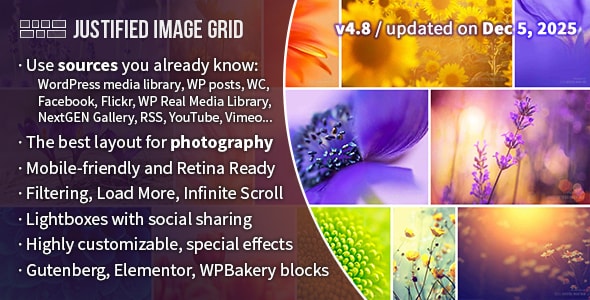
With over 23,200 sales and a 4.77-star rating across 1,800 reviews, Justified Image Grid is the most battle-tested photography gallery plugin in this list. It arranges images into clean, edge-to-edge justified rows with deep customization over spacing, captions, and lightbox behavior.

Best forphotographers and portfolio sites that need a polished, high-volume image display without heavy development work. The $69 price reflects a mature, well-supported product.

Read our review
8.4
Real 3D FlipBook PDF Viewer WordPress Plugin screenshot

Real 3D FlipBook is purpose-built for presenting PDFs and catalogs as interactive, page-turning books with genuine 3D perspective. At $99 it's the priciest entry here, but its 22,800 sales validate demand.

Best forpublishers, educators, and businesses distributing brochures or magazines on their site. Be aware: the 3D rendering engine adds JavaScript weight, so performance testing on mobile is worth doing before launch.

Read our review
8.4
The Grid - Responsive WordPress Grid Plugin screenshot

The Grid goes beyond photography to handle mixed-content layouts — posts, portfolios, WooCommerce products, and custom post types — inside a responsive masonry or metro grid. At $49 and 13,600 sales with a 4.66 rating, it suits content-heavy sites and agencies that need a flexible display layer across multiple content types. Its broader scope means a steeper learning curve than a dedicated photo gallery plugin.

Read our review

Pick 04

WordPress FlipBook
4.773K sales$44
8.3
WordPress FlipBook screenshot

WordPress FlipBook offers a more accessible entry point into flipbook-style presentation at $44, with a 4.77 rating. It's a good fit for smaller businesses or bloggers who want catalog or lookbook functionality without the premium price of more established competitors. With 3,100 sales and fewer reviews, its long-term support track record is still developing — factor that in if reliability over years matters to your project.

Read our review

Pick 05Best value

Smart Product Viewer - 360º Animation Plugin
4.672K sales$25
8.2
Smart Product Viewer - 360º Animation Plugin screenshot

Smart Product Viewer fills a specific niche: 360° animated product spins driven by image sequences. At just $25 it's the most affordable plugin here, with a solid 4.67 rating.

Best forWooCommerce stores selling physical goods where interactive spin views reduce purchase hesitation. It is narrowly focused — not a general gallery tool — so pair it with a standard gallery plugin if you also need portfolio or lightbox functionality.

Read our review

How to choose

How to Choose the Right WordPress Gallery Plugin

The gallery plugin market is broad, and "gallery" now covers far more than a simple lightbox grid. Before you buy, it's worth narrowing down exactly what your visitors need to experience — static image layouts, immersive 3D flipbooks, 360° product spins, or flexible content grids that mix media types. Picking the wrong category of plugin means rebuilding later.

Match the plugin to your actual use case

This is the most common mistake buyers make: purchasing a feature-rich plugin and then wrestling it into a use case it wasn't designed for. A justified photo grid plugin excels at portfolios and photography sites but is not a substitute for a proper product viewer. Likewise, a flipbook plugin is purpose-built for presenting PDFs and catalogs — using it to display a photo portfolio adds unnecessary overhead.

Check sales volume and rating depth together

A high average rating means little with only a handful of reviews. We weight both figures: a plugin with 1,800 ratings at 4.77 stars signals genuine, sustained satisfaction across a large audience. Conversely, a newer plugin with fewer reviews can still be a strong pick if its sales trajectory and feature set match your needs — just factor in that its support track record is less established.

Prioritize active maintenance

WordPress core, themes, and page builders update frequently. A gallery plugin that hasn't been touched in over a year is a compatibility risk. Always check the "last updated" date on the marketplace listing before purchasing, and look at whether the author responds to support threads — that signals ongoing commitment.

Performance implications matter

Heavy gallery plugins — especially those loading 3D assets, JavaScript animation engines, or large PDF rendering libraries — can meaningfully affect page load times. If site speed is a priority (and for SEO, it should be), test any plugin in a staging environment before going live. Look for options with lazy loading, script deferral, or CDN compatibility baked in.

Licensing and multi-site use

Most premium WordPress gallery plugins on the marketplace are sold under a regular license covering a single end product. If you're an agency or freelancer building sites for clients, check whether an extended license is available and what it costs. Some plugins price the extended license at many multiples of the regular price, which affects your project budget significantly.

Page builder compatibility

If your site runs Elementor, Divi, or another visual builder, verify that the plugin integrates natively rather than requiring shortcode workarounds. Native blocks or widgets save setup time and make future edits far less fragile. When marketplace listings advertise page builder support, cross-reference the support forum to confirm it works with your specific builder version.