How to Choose a Real Estate WordPress Theme
Picking the right real estate theme is less about looks and more about workflow. A beautiful theme that can't handle your property data, booking logic, or IDX feed will cost you far more in rework than the license price. Here's what to evaluate before you buy.
Listings architecture first
Every real estate site is ultimately a database of properties. Ask whether the theme uses a custom post type for listings or relies on a third-party plugin like WP All Import or a paid IDX solution. Themes with built-in listing management (custom fields for beds, baths, price, location, status) are faster to launch but may feel limiting if you need deep MLS integration later. Themes that lean on established plugins give you more flexibility but require more setup time.
Search and filtering
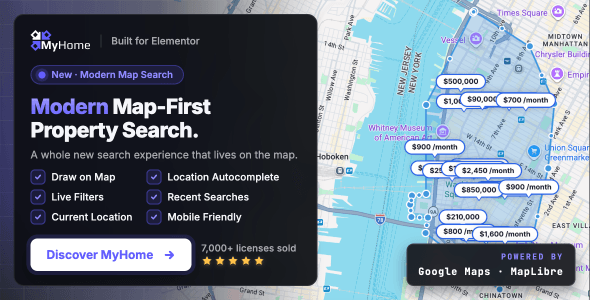
Property search is the core user action on any listings site. Look for AJAX-powered filtering so results update without a page reload, radius/map search tied to Google Maps or OpenStreetMap, and the ability to filter by the fields that matter most to your audience — price range, property type, number of rooms, and amenities. A theme that buries filtering behind a generic sidebar will frustrate buyers and hurt conversions.
Booking and inquiries
If your site handles rentals or bookings, confirm the theme includes a calendar-based availability system and integrates with a payment gateway. Many themes label themselves "booking-ready" but only provide a contact form. Read the documentation and the support forum before purchasing — a pattern of booking-related issues in the reviews is a genuine red flag.
Map integration costs
Most themes rely on the Google Maps API, which now requires a billing-enabled account. Budget for API costs from day one, especially if you expect high traffic or embedded maps on every listing page. Some themes offer OpenStreetMap or Mapbox as alternatives — a useful cost hedge worth checking.
Common mistakes buyers make
- Choosing on demo looks alone. Demo sites run on ideal data. Check how the theme performs with 50+ real listings, mixed image sizes, and real user-submitted content.
- Ignoring the support forum. Sales numbers tell you a theme is popular; the support forum tells you how the author handles problems. Look for response times and resolution quality.
- Underestimating plugin dependencies. Some themes require Visual Composer, Elementor, or WPBakery to function as shown in the demo. Factor in those costs and compatibility risks.
- Skipping mobile testing. The majority of property searches happen on mobile. Test the demo on your own phone before committing — map usability and filter menus often break down on smaller screens.
Budget guidance
Prices on this list range from $49 to $99. The gap rarely reflects raw quality — it more often reflects niche specificity (a dedicated hotel-booking theme vs. a broad real estate theme) or bundled plugin inclusions. If a lower-priced theme covers your use case fully, the savings are real. Don't pay for features you'll never use.