8.9
Curated shortlist
BestMusicWordPressThemes
Finding the best music WordPress theme means balancing audio playback features, visual impact, and long-term maintainability — and the options vary widely. Our editorial team assessed six strong contenders using marketplace sales volume, buyer ratings, update history, and fit for specific music niches, from solo artists to radio stations. Whether you're launching a band site, a music blog, or a streaming-style portal, this list covers the most proven options available in 2026.
- 7
- Ranked picks
- 8.5
- Avg editorial score
- $59–$95
- Price range
- 92K
- Combined sales
Ranked by our editorial rubric · updated
8.8
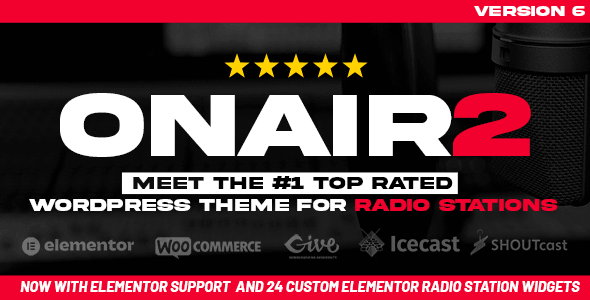
Onair2 is purpose-built for internet radio stations and comes with a non-stop music player designed to survive page navigation. With over 6,500 sales and a near-perfect 4.87/5 rating from 223 buyers, it's the most specialized and best-validated pick here. The higher $119 price reflects genuine radio-station features — schedules, DJ profiles, show archives — that general music themes simply don't offer.
Best foronline radio stations and podcast-heavy music sites.
Read our review8.4

uDesign is a veteran multipurpose theme with an extraordinary 56,400 sales and 5,500 reviews — market data that's hard to argue with for reliability. It's not music-specific, so you won't get a dedicated radio schedule or discography post type out of the box, and building a music-focused layout takes more configuration.
Best formusicians or labels who need a flexible, well-supported foundation and prefer building their own content structure.
Read our review8.4
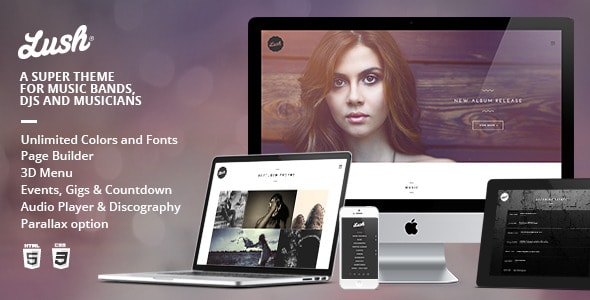
Lush targets bands and solo musicians with a visually bold design and 7,400 sales behind it. At $69 it sits in the mid-range, and a 4.57/5 rating from 263 verified buyers suggests solid but not exceptional support experiences. Feature depth for gigs, discographies, and video is good; the trade-off is that its aesthetic is opinionated and can be difficult to substantially restyle.
Best forbands and artists who like the demo look and want to launch quickly.
Read our review8.4
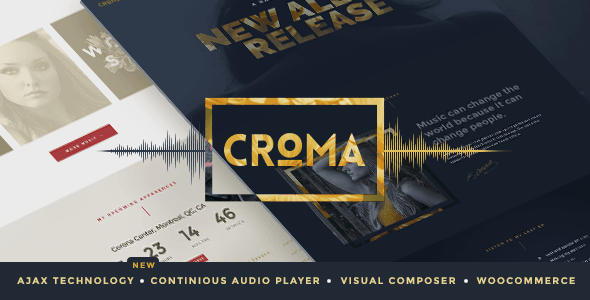
Croma's headline feature is Ajax-powered continuous playback — tracks keep playing as visitors browse, which is essential for any site where listening is the core experience. At $74 with a strong 4.75/5 from 138 reviews, it's a well-rated specialist option. Sales (5,100) are respectable for a niche product. The relatively smaller review pool means long-term support patterns are less proven than top sellers.
Best formusic blogs, DJ sites, and stores where uninterrupted playback is non-negotiable.
Read our review8.3

Soundboard is the budget entry at $59 and backs that up with 5,300 sales and 397 reviews — the second-largest review pool in this list, giving its 4.64/5 rating genuine weight. It covers the basics of a responsive music site well without heavy feature bloat. The trade-off is a less distinctive visual identity compared to newer themes and fewer advanced audio features.
Best formusicians on a tighter budget who need a reliable, well-tested starting point.
Read our review8.1

FWRD shares IronTemplates' design DNA with Lush and Croma but focuses on a modern, forward-facing aesthetic suited to contemporary bands and musicians. At $74 and with 5,000 sales, it's a steady performer, though its 4.56/5 from 113 reviews is the lowest-rated and least-reviewed theme here — worth factoring in.
Best forartists and bands who want a current visual style and are comfortable doing more customization work themselves.
Read our reviewHow to choose
How to Choose a Music WordPress Theme
Music sites have one requirement that almost no other niche shares: audio playback that doesn't interrupt when a visitor navigates between pages. If a theme lacks a persistent, non-stopping music player, listeners will drop off the moment they click to a second page. This is the single most important technical feature to confirm before purchasing.
Match the Theme to Your Actual Use Case
The music category is broad. A solo singer-songwriter needs something completely different from a radio station, and a record label site has different demands than a DJ's portfolio. Before browsing demos, write down your content types — tour dates, discography, embedded video, merchandise, a blog — and compare that list against each theme's built-in post types and shortcodes. Retrofitting a band theme to run a radio station, or vice versa, usually leads to a patchwork of plugins and visual inconsistencies.
Evaluate the Audio Player Carefully
- Continuous/Ajax playback: The player should persist across page loads without reloading or pausing.
- Playlist support: Can you organize tracks by album, genre, or artist? Does it support SoundCloud or Spotify embeds, or only self-hosted files?
- Mobile behavior: Test the demo on a phone. Autoplay restrictions on iOS and Android mean poorly built players often break silently on mobile.
Common Buying Mistakes
- Ignoring last-update dates. A theme that hasn't been updated in two or more years is a compatibility risk with current WordPress and PHP versions. Check the changelog before buying.
- Choosing on looks alone. Demo sites are styled by professionals with licensed photography and audio. Your content will look different — judge the layout structure, not the stock imagery.
- Overlooking bundled plugin dependencies. Many music themes rely on bundled premium plugins (page builders, sliders, event managers). If those plugins stop being updated, your features go with them. Prefer themes that use well-supported, widely adopted plugins.
- Skipping the ratings breakdown. A high average rating with only a few dozen reviews is less reliable than a slightly lower rating backed by hundreds of verified buyers. Volume of reviews matters.
Budget and Support Expectations
Music themes in this roundup range from $59 to $119. Price alone is not a reliable indicator of quality — some of the most capable options here sit at the lower end. What a higher price sometimes buys is more specialized functionality (like a full radio station management system) rather than a generically better theme. Factor in that marketplace licenses include six months of author support; extended support can be purchased at checkout and is worth it for complex builds.
Finally, download and activate your chosen theme on a staging environment before going live. Music sites often involve custom post types and demo content imports that are much easier to troubleshoot before real content is in place.