TThemeForgeTheme Reviews

Curated shortlist

BestFashionWordPressThemes

Whether you're launching a boutique clothing store, a lifestyle blog, or a full-scale fashion brand, choosing the right WordPress theme shapes everything from first impressions to checkout conversion. Our editorial team assessed these four themes against sales volume, verified buyer ratings, update cadence, and practical fit for fashion-focused use cases. Every pick here has a proven track record in the marketplace.

4
Ranked picks
8.8
Avg editorial score
$59
Price range
505K
Combined sales

Ranked by our editorial rubric · updated

Pick 01Top pickBest ratedBest value

WoodMart - Multipurpose WooCommerce Theme
4.91118K sales$59
9.1
WoodMart - Multipurpose WooCommerce Theme screenshot

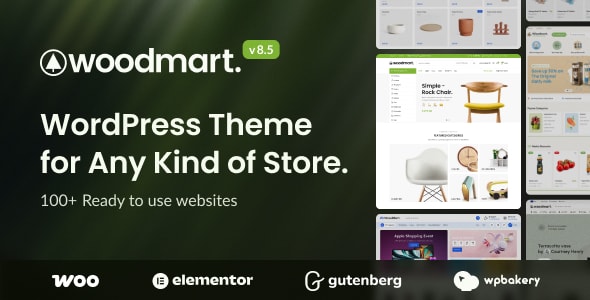
WoodMart is purpose-built for WooCommerce, making it the strongest pick for fashion retailers who need a polished shop out of the box. With 116,000+ sales and a 4.91 rating across 3,600 reviews, it's one of the most validated themes on the market. Standout features include a native AJAX product filter, sticky header variations, and a multi-currency switcher.

Best forfashion e-commerce stores prioritizing shop functionality and conversion-focused design.

Read our review

Pick 02

XStore | Multipurpose WooCommerce Theme
4.8855K sales$59
8.9
XStore | Multipurpose WooCommerce Theme screenshot

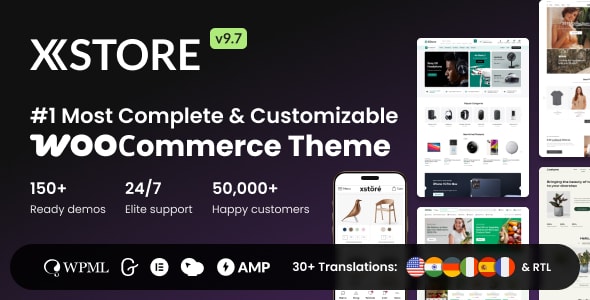
XStore by 8theme offers over 100 pre-built shop demos and a dedicated WooCommerce header and product-page builder, giving fashion store owners granular control without custom development. Its 4.88 rating from 2,200 buyers and 55,200 sales reflect consistent quality. The breadth of demos is genuinely useful, though new users may need time to navigate the options.

Best forfashion entrepreneurs who want extensive design flexibility within a shop-first framework.

Read our review

Pick 03Most popular

Enfold - Responsive Multi-Purpose Theme
4.79272K sales$59
8.7
Enfold - Responsive Multi-Purpose Theme screenshot

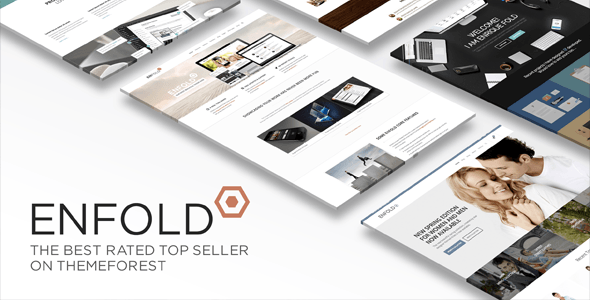
Enfold is the single best-selling theme in this roundup — 271,100 sales and 11,000 reviews speak to its longevity and reliability. It's a true multipurpose theme, equally comfortable as a fashion lookbook, blog, or hybrid shop. The trade-off is that it's less WooCommerce-specialized than WoodMart or XStore.

Best forfashion bloggers, stylists, and brand studios who need a dependable, editorial-forward theme with light selling capability rather than a dedicated storefront.

Read our review
Soledad – Multipurpose, Newspaper, Blog & WooCommerce WordPress Theme screenshot

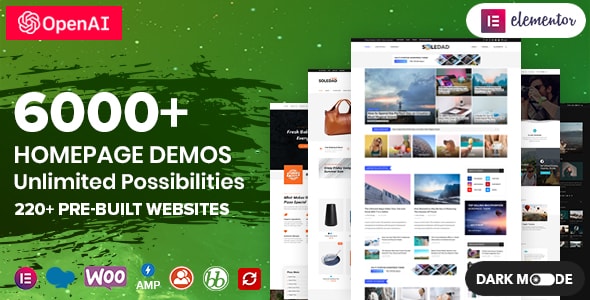
Soledad is the editorial standout of this group, offering 6,000+ homepage and post layout combinations that make it exceptionally well-suited for fashion blogs, digital magazines, and lookbook-style sites. Its 4.87 rating from 1,400 reviews and 60,300 sales confirm steady buyer confidence. WooCommerce support is present but secondary to its content strengths.

Best forfashion content creators and media brands where editorial presentation takes priority over storefront depth.

Read our review

How to choose

How to Choose a Fashion WordPress Theme

Fashion is a visual category, and your theme needs to support that from the ground up. Before committing to any option, work through these key considerations so you don't find yourself rebuilding your site six months later.

WooCommerce readiness matters more than looks

Many fashion sites begin as lookbooks or blogs but quickly add a shop. A theme built natively around WooCommerce — with product grids, quick-view modals, wishlist support, and cart behavior already styled — will save you significant setup time and plugin conflicts down the road. Themes that bolt on shop features as an afterthought tend to look inconsistent and perform poorly at scale.

Page speed and mobile performance are non-negotiable

Fashion audiences browse heavily on mobile, and Google's Core Web Vitals directly influence your search rankings. Look for themes that offer lazy loading for images, minimal render-blocking scripts, and clean code output. A theme packed with unused demo content can be slow by default — check whether the developer provides a lightweight starter option or performance documentation.

Demo content is a starting point, not a finish line

One of the most common mistakes buyers make is choosing a theme purely because a demo looks stunning. Ask instead: how easy is it to replace that demo content with your own brand? Themes with a flexible page builder integration (Elementor, WPBakery, or a native builder) let you rework layouts without touching code. Themes tied tightly to a single builder, however, can create lock-in — weigh that trade-off carefully.

Editorial and blog layouts still matter for fashion brands

Content marketing — trend guides, lookbooks, style edits — drives significant organic traffic for fashion brands. A theme that treats the blog as secondary will limit your editorial ambitions. If content is central to your strategy, prioritize themes with multiple post layouts, featured image options, and clean typography that works for long-form reading.

Support and long-term maintenance

A theme purchased today needs to keep pace with WordPress core updates, WooCommerce major releases, and PHP version requirements for years. Review the theme's update history on the marketplace: consistent, recent updates signal an active development team. High sales volume alone doesn't guarantee continued support — always check when the theme was last updated relative to the current WordPress version.

Common mistakes to avoid

  • Choosing for aesthetics alone: A beautiful demo that doesn't fit your content structure will require heavy customization.
  • Ignoring plugin dependencies: Some themes require specific premium plugins to replicate the demo — factor in those additional costs.
  • Skipping the documentation review: Thin or outdated docs are a reliable warning sign of a theme that won't be easy to maintain.
  • Overlooking translation and RTL support: If you serve international customers, check for WPML compatibility and right-to-left language readiness before buying.
Questions, answered

How did you decide which fashion themes made this list and how they were ranked?

Our editorial team scored each theme out of 10 based on a combination of verified buyer ratings, total sales volume, and how well the feature set suits fashion-specific use cases like lookbooks, product galleries, and WooCommerce storefronts. WoodMart ranked first with a 9.1/10 editorial score, backed by a 4.91/5 buyer rating and 116,000 sales. Sales figures and ratings are pulled directly from public marketplace data — we don't factor in promotional arrangements.

Are all these themes the same price? What does the license actually cover?

Yes, all four themes are priced at $59 for a Regular License on the marketplace. That license covers a single end product (one website) that is not charged to end users — it does not cover building client sites for sale or use on multiple domains without purchasing additional licenses. If you're an agency or freelancer managing several fashion brands, factor in the cost of multiple licenses from the start.

Which theme is the best fit for a beginner with no developer experience?

WoodMart and XStore are both strong choices for beginners because they ship with a large library of pre-built fashion demo templates that can be imported in a few clicks, reducing the need for custom coding. Enfold has been on the market long enough — evidenced by its 271,100 sales — that community tutorials and documentation are widely available, which also helps less technical users get up and running. That said, any theme with a broad feature set has a learning curve, so budget time for setup regardless of which you choose.

When would you recommend XStore over the top-ranked WoodMart?

XStore is worth prioritizing if you place a high value on header and product-page customization flexibility, as it is specifically built around WooCommerce and ships with a dedicated store builder. While WoodMart edges it out on editorial score (9.1 vs 8.9) and raw sales, XStore's 4.88/5 rating across 55,200 sales shows it earns strong buyer satisfaction in its own right. If WoodMart's demo set doesn't closely match your aesthetic, XStore's library is broad enough that you're likely to find a closer fit there.

Is Enfold a good choice for a fashion blog that also sells products?

Enfold is a practical pick if editorial content — blog posts, style guides, trend features — is as important to your site as the shop itself, since its layout system handles both content-heavy pages and WooCommerce product listings. Its 271,100 sales make it the most widely adopted theme on this list, which means extensive third-party plugin compatibility and a large support community. The trade-off is that its design aesthetic trends toward a more general multipurpose look, so fashion-forward visual polish may require more customization compared to WoodMart or XStore.

What should I check for compatibility before buying any of these themes?

Confirm the theme is compatible with your intended page builder (Elementor, WPBakery, or the block editor), your WooCommerce version, and any key plugins like WPML for multilingual fashion stores or membership plugins if you plan a subscriber model. All four themes on this list are actively maintained marketplace products, but always cross-reference the theme's changelog and the 'last updated' date on the product page against your WordPress and WooCommerce versions before purchasing. Child theme support is also worth verifying if you plan any custom code changes.