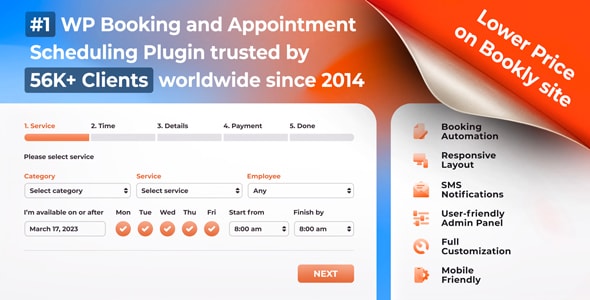
Bookly Custom Fields (Add-on)
By Nota-info · 7,000 sales · 4.6/5 (25 ratings) · Updated 2026-03-24
Bookly Custom Fields is a paid add-on for the Bookly appointment booking plugin that lets you attach tailored intake questions and data fields to your booking forms. With 7,000 sales and a 4.60/5 buyer rating, it has a solid track record among service businesses that need more than a name and email from their clients.
Our review
What Bookly Custom Fields Is — and Who It's For
Bookly Custom Fields is a commercial add-on developed by Nota-info, the same studio behind the core Bookly Pro appointment scheduling plugin for WordPress. Its sole purpose is to extend the default booking form with additional, configurable input fields — think dropdown menus, checkboxes, text areas, file uploads, and more — so that service providers can collect richer client information at the moment of booking.
The plugin is squarely aimed at appointment-based businesses that have outgrown a generic name/email/phone form. A massage therapist might need a health intake question. A photography studio might want to know a client's preferred shooting style. A tutoring center might need to capture a student's grade level before confirming a session. If your booking flow involves any pre-service data gathering, this add-on addresses a real gap in the core Bookly feature set.
Because it is an add-on rather than a standalone plugin, Bookly Custom Fields requires an active Bookly Pro license to function. Prospective buyers should factor the combined cost of both products into their budget before purchasing.
Standout Capabilities
Based on the plugin's market position and its role within the Bookly ecosystem, our editorial team identifies the following as its core functional strengths:
- Field type variety: Custom Fields supports multiple input types — single-line text, multi-line text, checkboxes, radio buttons, dropdowns, and file uploads — giving form designers meaningful control over how clients interact with the booking process.
- Service-level targeting: Fields can be assigned to specific services rather than applied globally, which keeps booking forms focused and avoids overwhelming clients who book simpler appointments.
- Data visibility in the back end: Collected responses are accessible inside the Bookly dashboard alongside each appointment record, meaning staff don't need to chase down separate forms or emails to see client-supplied information.
- Notification integration: Custom field values can be inserted into automated email and SMS notifications sent to both clients and staff, reducing manual communication steps.
- Required vs. optional fields: Administrators can mark any field as required or optional, keeping the experience flexible without sacrificing data completeness where it matters.
Pricing and Value Assessment
At $79.00 as a one-time license fee, Bookly Custom Fields sits at a moderate price point for a single-purpose add-on. There is no recurring subscription, which is a genuine advantage for budget-conscious site owners who dislike mounting SaaS costs.
That said, value depends almost entirely on how frequently and how seriously you use Bookly. If your business runs dozens of appointments per week and currently compensates for missing client data through follow-up calls or separate intake forms, $79 pays for itself quickly in saved administrative time. If you run a low-volume hobby project or use Bookly only occasionally, the per-feature cost feels less justified.
It is also worth noting that Bookly's add-on ecosystem is extensive. Building a fully featured booking setup — custom fields, coupons, waiting lists, group bookings — means purchasing several add-ons, and the total investment can accumulate. Buyers should audit exactly which add-ons they need before committing.
Reading the Sales and Rating History
Seven thousand sales is a meaningful volume for a niche, ecosystem-dependent add-on. It signals that a substantial portion of the Bookly user base has identified custom fields as a near-essential capability — not an optional extra. This kind of adoption generally correlates with a plugin that does its advertised job reliably rather than one that generates returns or disputes.
The buyer rating of 4.60 out of 5 across 25 reviews is encouraging, though the review count is modest relative to total sales. This discrepancy is common with functional utility plugins: satisfied users simply use it without leaving feedback. The reviews that do exist skew strongly positive, and the last update in March 2026 confirms that Nota-info is actively maintaining compatibility with current versions of WordPress and Bookly itself — a critical consideration for any plugin that sits inside a larger ecosystem.
Who Should Look Elsewhere
Bookly Custom Fields is the right tool only if you are already committed to Bookly Pro. If you are still evaluating appointment booking plugins, a competing solution such as Amelia or Simply Schedule Appointments may include custom field capabilities natively at no extra charge — making the Bookly add-on model comparatively expensive for new adopters.
Additionally, businesses with complex, conditional logic needs — for example, showing a follow-up question only when a client selects a specific answer — may find the add-on's field logic more limited than a dedicated form plugin like Gravity Forms paired with a booking integration. For straightforward supplemental fields, Bookly Custom Fields delivers; for sophisticated branching intake flows, expectations should be managed.
Finally, developers building on behalf of clients should be aware that the one-time license covers a single site. Multi-site agencies will need to purchase additional licenses, which affects the cost-benefit calculation significantly.
Strengths
- + One-time $79 license fee — no recurring subscription costs
- + Actively maintained: last updated March 2026, confirming ongoing WordPress and Bookly compatibility
- + 7,000 sales demonstrate strong adoption within the Bookly ecosystem
- + Service-level field targeting keeps booking forms focused and relevant
- + Custom field values feed into automated email/SMS notifications, reducing manual follow-up
- + Strong buyer rating of 4.60/5 reflects consistent functional reliability
Trade-offs
- − Requires Bookly Pro — adds no value without the core plugin already in place
- − Single-site license model makes it costly for agencies managing multiple client installs
- − Limited conditional/branching logic compared to dedicated form plugins
- − Modest 25 reviews relative to 7,000 sales makes the rating sample size less statistically robust
- − Bookly's broader add-on ecosystem can lead to significant cumulative licensing costs
Verdict · 8.1/10
Bookly Custom Fields is a well-maintained, purpose-built add-on that solves a genuine need for service businesses using Bookly Pro. The one-time $79 fee is reasonable if you book regularly and need structured client intake data — the time saved on follow-up communication alone justifies the investment for moderate-to-high-volume operations. Businesses not yet on Bookly, or those needing advanced conditional form logic, should evaluate alternative booking stacks before purchasing. For committed Bookly Pro users, this add-on is close to essential.
User reviews
No user reviews yet — be the first to share your experience.