BestWordPressCryptocurrencyWidgetPluginsof2026
Crypto widgets let you display live prices, market caps, tickers, and charts on any WordPress site — without touching an API directly. Our editorial team has reviewed the top-selling options on the marketplace so you can compare features, value, and buyer satisfaction in one place.
3 plugins tracked · ranked by sales
The catalog
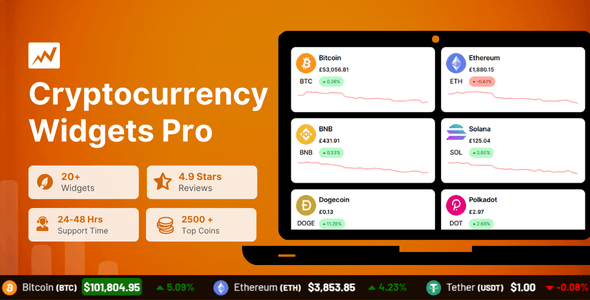
Cryptocurrency Widgets Pro - WordPress Crypto Plugin
CoolPlugins · Widgets
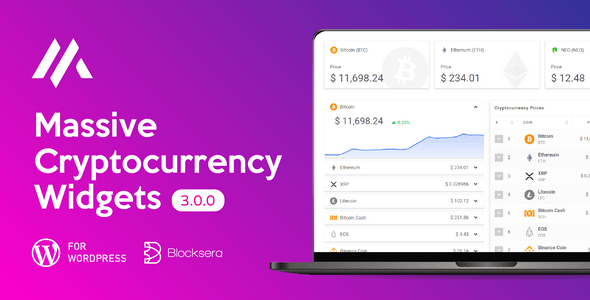
Massive Cryptocurrency Widgets | Crypto Plugin
Blocksera · Widgets
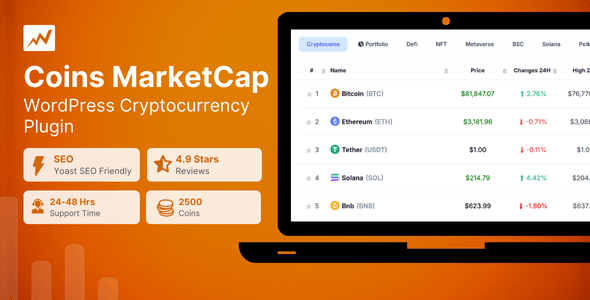
Coins MarketCap - WordPress Cryptocurrency Plugin
CoolPlugins · Widgets
Buying guide
What to Look for in a Crypto Widget Plugin
Choosing a cryptocurrency widget plugin is less about flashy visuals and more about data reliability, display flexibility, and long-term support. Here is what our editorial team weighs when assessing these plugins:
- Data source and refresh rate. A widget is only as trustworthy as the API it pulls from. Look for plugins that use established feeds (such as CoinGecko or CoinMarketCap) and let you control how frequently prices update.
- Display formats. The best plugins offer multiple widget types — ticker tapes, price tables, coin cards, and full market-cap listings — so you can match the layout to your site's design without custom coding.
- Coin coverage. If your audience follows altcoins as well as Bitcoin and Ethereum, confirm the plugin supports hundreds or thousands of coins, not just the top ten.
- Shortcode and block support. Gutenberg block compatibility is increasingly important. Plugins that rely solely on classic shortcodes require extra steps in block-based themes.
- Currency and localization. Sites serving international audiences need fiat-currency switching (USD, EUR, GBP, etc.) built in, not bolted on.
How Our Three Reviewed Plugins Compare
All three plugins in this category have strong buyer ratings and healthy sales numbers, which signals active user bases and responsive support channels. Here is a quick orientation:
- Coins MarketCap earns our highest editorial score (8.7/10) and the strongest buyer rating (4.85/5 across 2,200 sales). It is the safest all-round pick for sites where data accuracy and polish are the priority, and its $49 price reflects a more comprehensive feature set.
- Cryptocurrency Widgets Pro matches the $49 price point and sits close behind with an 8.4/10 editorial score and 2,500 sales — the largest install base of the three. That volume is a reliable indicator of community resources and documentation.
- Massive Cryptocurrency Widgets is the budget-friendly option at $22, with an 8.2/10 editorial score and 2,300 sales. It offers genuine value for leaner projects but may lack some of the refinements found in the pricier plugins.
Pricing vs. Value
A $22 plugin is not automatically the smart choice for a revenue-generating crypto site, just as a $49 plugin is not automatically overkill for a personal blog. Consider the cost of your developer's time if a budget plugin requires workarounds, and weigh that against the upfront price difference.
A Note on Ongoing Updates
Cryptocurrency data APIs change their structures regularly, and WordPress core updates can break compatibility. Prioritize plugins with a consistent update history — a stale plugin on a crypto site is a real liability, not just a minor inconvenience.
Frequently asked
Do these crypto widget plugins require a paid API key to show live prices?
It depends on the plugin. Many use free-tier API access from providers like CoinGecko for basic functionality, but high-traffic sites may hit rate limits and need a paid API plan. Check each plugin's documentation to understand exactly which API it uses and what the free-tier limits are before purchasing.
Will these plugins work with my block-based (Gutenberg) WordPress theme?
Most modern crypto widget plugins offer both shortcodes and Gutenberg blocks, but the depth of block support varies. Our reviews note compatibility details for each plugin. If you rely heavily on the block editor, confirm native block support rather than assuming a shortcode wrapper will be sufficient.
How many cryptocurrencies can these plugins display?
Coverage depends on the underlying API — plugins tied to CoinGecko or CoinMarketCap can typically display thousands of coins. However, the number of coins you can show simultaneously in a single widget is often configurable and may be capped. Check each plugin's feature list for any display limits.
Is a $49 crypto widget plugin worth it over the $22 option?
For a professional or commercial crypto site, the extra cost is usually justified if the pricier plugin offers better data sources, more widget types, or stronger ongoing support. For a low-traffic personal or hobby site, the $22 option may cover everything you need. Our editorial scores and buyer ratings give you a data-backed starting point for that comparison.
Do these plugins slow down my WordPress site?
Crypto widgets make external API calls, which can add latency if not cached properly. Well-built plugins use server-side caching to minimise front-end impact. Look for configurable cache durations in the plugin settings, and test page speed after installation if performance is a priority for your site.