BestWordPressSliderPluginsof2026
Choosing the right slider plugin shapes how visitors experience your images, featured content, and calls to action. We've reviewed the top-selling options on the marketplace — weighing feature depth, ease of use, buyer satisfaction, and value — so you can pick with confidence.
3 plugins tracked · ranked by sales
The catalog

Master Slider - Touch Layer Slider WordPress Plugin
averta · Sliders
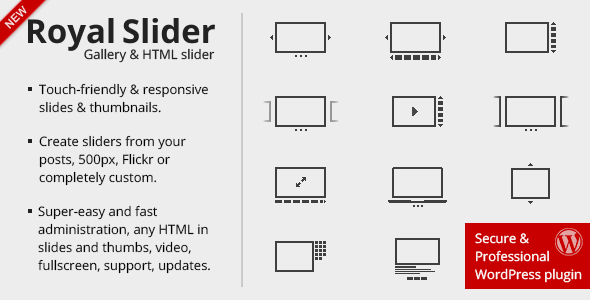
RoyalSlider - Touch Content Slider for WordPress
GalleryForge · Sliders

All In One Slider Responsive WordPress Slider Plugin
LambertGroup · Sliders
Buying guide
How We Evaluate WordPress Slider Plugins
Our editorial team scores each plugin across four areas: feature set (layer support, transition types, touch/swipe, responsiveness), usability (builder interface, documentation), market trust (buyer rating, total sales), and value (price relative to what you get). Scores are editorial assessments based on published feature lists and verified marketplace data — not paid placements.
The Three Plugins We Recommend in 2026
Master Slider — Best Overall
At $39, Master Slider is the priciest option here, but its 4.50/5 rating across 31,600 sales — the largest sales volume in this category — reflects consistent buyer confidence. It supports touch-enabled layer animations, making it well suited for sites that need rich, animated hero sections. Our editorial score of 8.4/10 reflects its broad feature set and proven track record. The trade-off: the layer-based editor has a steeper learning curve than simpler drag-and-drop tools, and the higher price may not be justified for basic image galleries.
RoyalSlider — Best Value for Content-Heavy Sites
RoyalSlider costs just $24 and carries a 4.64/5 rating — the highest buyer satisfaction score in this group — backed by 30,000 sales. It focuses on smooth, touch-friendly content presentation rather than complex layering, which makes it faster to set up. Our score of 7.8/10 reflects its polished output and strong community standing. The limitation: it offers fewer animation and layer options than Master Slider, so highly custom designs may feel constrained.
All In One Slider — Most Affordable Entry Point
At $21, this plugin is the budget pick, with a 4.11/5 rating across 3,900 sales. It covers the essentials — responsiveness, basic transitions, and straightforward setup — without overwhelming beginners. Our score of 7.4/10 reflects adequate execution for simple use cases. That said, its lower sales volume and rating suggest a less battle-tested codebase, and its feature ceiling is noticeably lower than the other two.
Key Buying Considerations
- Layered animations needed? Master Slider is the clear choice.
- Prioritizing ease of setup? RoyalSlider gets you live fastest.
- Tight budget, basic needs? All In One Slider is a workable starting point.
- Plugin updates matter: Check each plugin's last-updated date on the marketplace before purchasing — active maintenance signals ongoing compatibility with current WordPress versions.
- Performance impact: Any slider adds JavaScript to your page. If site speed is critical, test your chosen plugin against your theme before committing.
Frequently asked
Which WordPress slider plugin is best for beginners?
RoyalSlider is the most approachable for beginners — its interface is straightforward and its documentation is well regarded by buyers. All In One Slider is also a low-barrier option, though it has a smaller support community to draw on.
Is Master Slider worth the extra cost over RoyalSlider?
It depends on your design needs. Master Slider's layer animation system is more powerful and its 31,600 sales demonstrate broad real-world use. If you only need clean, touch-friendly content slides without complex animations, RoyalSlider delivers comparable quality at $15 less.
Do these slider plugins work with any WordPress theme?
All three are built as standalone plugins and are designed to work independently of your theme. That said, conflicts can occasionally occur with heavily customized themes or page builders, so reviewing the plugin's compatibility notes and recent buyer reviews is always advisable.
Will a slider plugin slow down my WordPress site?
Slider plugins load additional JavaScript and CSS, which can affect page speed if not configured carefully. Look for plugins that support lazy loading and only enqueue assets on pages where the slider is active. Checking recent buyer reviews for speed-related comments is a practical way to gauge real-world impact.
Are these plugins updated regularly for new versions of WordPress?
Marketplace metadata includes a last-updated date for each plugin — always check this before purchasing. Plugins with recent updates and high sales volumes like Master Slider and RoyalSlider tend to maintain active development, but it's worth verifying compatibility with your current WordPress version.